Good assistive technology needs more than new features. Regular updates help digital tools remain secure, accessible, reliable and compatible with current devices.
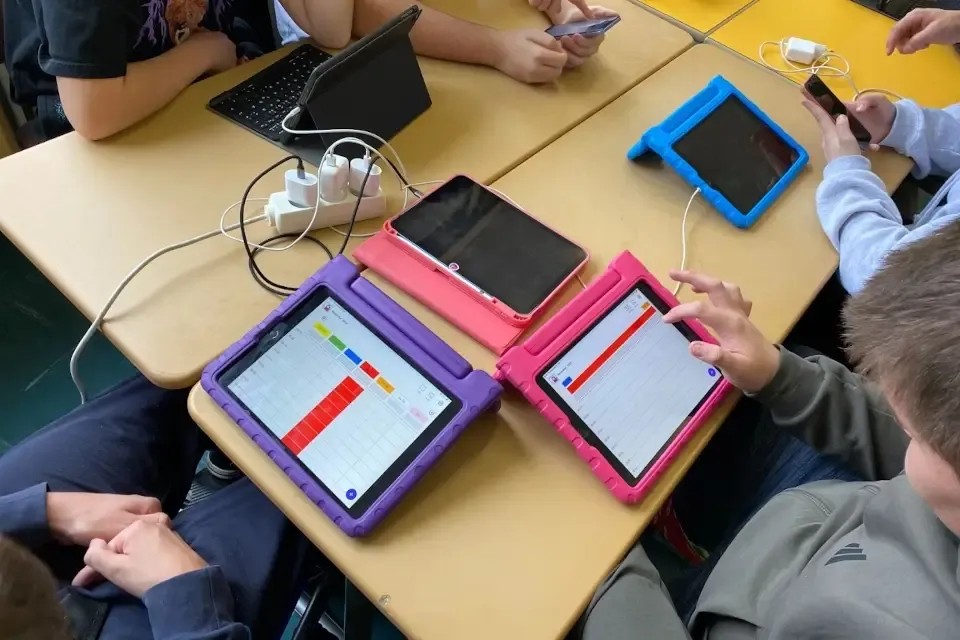
The calendar opens as it does every morning. The symbols are in their familiar places, reminders appear on time and appointments synchronise. To the person using it, everything looks the same as it did the day before.
Keeping it that way takes ongoing work behind the scenes. Operating systems and browsers change. New security vulnerabilities are discovered. Connections to other services need to be adjusted. An app can look unchanged while still requiring regular maintenance.
Software updates are therefore not just a way to deliver new features. Often, their main purpose is to keep something secure and reliable.
What actually happens in an update
Some updates are easy to spot: a new view is added or a workflow becomes simpler. Others affect parts of the product that people rarely notice.
For example, we update the software building blocks our apps rely on (dependencies). We fix problems with synchronisation and offline use, close security vulnerabilities and adapt our apps to new versions of iOS, Android and common browsers. Improvements to speed, stability and accessibility are part of this work too.
The National Institute of Standards and Technology describes this kind of updating as preventive maintenance. Germany’s Federal Office for Information Security also recommends planning and testing changes in advance and preparing a way to return to the previous version if necessary. (NIST, BSI)
A useful update does not need to be exciting. Sometimes the best outcome is that nothing feels different in everyday use.
Why reliability matters especially in assistive technology
When reminders do not appear, symbols fail to load or synchronisation stops working, familiar routines may be interrupted. This does not affect everyone in the same way. A person who relies heavily on visual structures or has practised a particular sequence of actions may depend more strongly on that consistency.
Even well-intentioned changes can create new barriers. Moving a button, adding another step or changing a label may seem minor. Within a familiar routine, it can still cause confusion.
Maintaining assistive technology therefore means balancing two needs: the technology must keep pace with its surroundings, while familiar workflows should remain as stable as possible. A new design is not automatically an improvement.
Accessibility needs continuous attention
Accessibility is not finished when the first version is released.
Operating systems continue to develop their accessibility features. Browsers change how they pass information to software that reads screen content aloud (screen readers). New features can affect the order of interaction, keyboard navigation or the labels attached to buttons.
The European standard EN 301 549 describes, among other things, the information software should provide to assistive services. This includes the name, function and current state of an interface element. (ETSI)
Updates allow us to make labels easier to understand, improve how information is displayed and support use on newer devices. At the same time, a change can unintentionally make something worse.
Automated checks detect many technical errors, but they cannot tell us on their own whether a workflow remains understandable in everyday use. We therefore combine technical testing with manual checks and co-design. The experiences of people with cognitive disabilities, their support networks and our partner organisations inform how our products develop.
More updates do not automatically mean better software
An app that constantly changes its appearance is not necessarily better maintained. Conversely, a longer pause between visible improvements does not mean that no work is happening behind the scenes.
We think a different question is more useful: Is it clear that someone is taking lasting responsibility for the product?
Families, support professionals, IT teams and organisations can look for a few practical signs:
- Are supported devices, operating systems and browsers clearly listed?
- Is there a transparent record of what has changed?
- Are security and compatibility problems still being fixed?
- Are changes checked before release?
- Is support easy to contact?
- Do the experiences of people using the product influence its development?
A fixed number of updates per month tells us little about these things. Product maintenance is better judged by how a provider responds to errors, technical changes and feedback.
We make changes to Independo visible
We release updates when they are needed rather than following a rigid calendar. Some versions introduce new features. Others improve existing workflows, fix errors or update components in the background.
We publish what has changed in our apps directly in the app stores. Apple lists these notes for the Independo Calendar under “Version History”. In the Google Play Store, the notes for the current version appear under “What’s new”.
The Calendar’s version history includes improvements to offline reminders and calendar synchronisation. We have revised screen-reader labels and improved accessibility in different parts of the app. Other versions have included important security updates.
This makes more than new features visible. Less obvious work on security, stability and reliable use belongs in our release notes too.
What happens before a release
A change does not go directly from a developer’s computer into the published app.
First, it is developed separately from the released product. At least one other person reviews what has changed and whether the implementation makes sense. Only then can it be accepted. In software development, this process is called a pull request.
Automated checks then confirm that our applications can still be built correctly, important tests pass and defined quality rules are followed. A separate automated analysis searches the code for patterns that may indicate quality or security problems. We use CodeQL for this.
We first provide new versions in a protected testing environment (staging). There, we manually work through the mobile apps again. We also test new versions of iOS and Android on our own devices before they are released to the public.
After release, we watch for unexpected errors (monitoring). If a version causes a serious problem, we can return to the previous one (rollback).
These steps do not make software error-free. They do help us find problems earlier and release changes in a controlled way.
Devices and browsers need maintenance too
An app can only be as reliable as its technical environment allows. Devices, operating systems and browsers therefore need to keep receiving security and system updates as well.
The Independo Calendar and Independo Journal currently support iOS and iPadOS 15 or newer, Android 8 or newer and current browsers. For older tablets, managed devices, smartboards or restricted network environments, we recommend a brief technical check before use. Current information is available in our technical requirements.
This does not mean that everyone needs the latest device. What matters is that the device, operating system, browser and app can continue to work together reliably and receive updates.
Good updates often go unnoticed
After a good update, the app may open just as it did the day before. The symbols are in their familiar places, reminders appear and synchronisation works.
We may still have worked on a software building block, a new operating-system version, a screen-reader label or an error that occurred only under particular conditions.
For us, that is part of taking responsibility for a digital assistive tool. It should not only work today, but remain understandable, secure and reliable tomorrow.
Learn more about the Independo Calendar, Independo Journal and Independo Portal on our product pages.